What the FBX keeps, and what it loses
| In the FBX | |
|---|---|
| Meshes and their tree | Every mesh and node, with its name, where it hangs in the scene. A second of one name is numbered, Screw_2, so an animation moves each |
| Normals | The glTF's, or each triangle's own where it gives none |
| Size and way up | Centimeters with Y up, from glTF's meters |
| Materials | Each written once, its color, its metal, a shine from its roughness, its transparency and its glow. A metal or a glow that a picture gives is left out, with the picture |
| Textures | The picture on each color, held in the file once however many materials show it. WebP is written as PNG |
| Animations | Every one that moves, turns or scales a part, each an animation of its own |
| Skins, blend shapes | Not written: the mesh is saved as it is drawn at rest, its normals worked out again as it is drawn |
| Other pictures, colors of vertices | Lost |
| Cameras, lights, variants | Left out |
| Limit | 5 million triangles, each mesh counted as often as it is drawn |
How to convert a GLB to FBX
- Drop the GLB on this page, or a glTF with its
.binand pictures, or a ZIP of its folder. It is read in your browser; nothing is uploaded. - Look at the model and its rows. Play its animations to see that they are what you expect.
- Choose Download FBX. The file is named after the GLB:
assembly.glbbecomesassembly.fbx.
Animations, from glTF’s to FBX’s
A glTF turns a part by a quaternion and blends between two keys along the shortest arc. FBX turns it by three angles, and blends each on its own, which between two keys far apart is another path. So each turn is sampled 30 times a second and at every key of the file, and written as the angles nearest those before, so that they never jump by half a turn. Moves and scales that run in straight lines between keys are written as their keys. Keys that hold until the next are held until a thousandth of a second before it, and keys that follow glTF’s cubic curve are sampled as a turn is. Blender and the FBX SDK play the result within 0.02 mm of the GLB; Godot thins the keys as it imports them, and can cut a corner by a few millimeters.
Materials, from glTF’s to FBX’s
glTF’s material is physically based: a color, how metallic it is, how rough. FBX’s is Phong: a color and a shine. Each material is written as Phong, with its color in linear light, its metal as the reflection Blender reads it from, and a shine from its roughness that Blender reads back as the same roughness. Its transparency and its glow are written as FBX has them. A material that several meshes share is written once.
One file, or several
On its own, the GLB is written as a scene, with everything above. With other files on show beside it, the FBX holds every mesh on show with its name and its color, and not its pictures or animations: hide the others first to keep those.
Checked in Blender, Godot and the FBX SDK
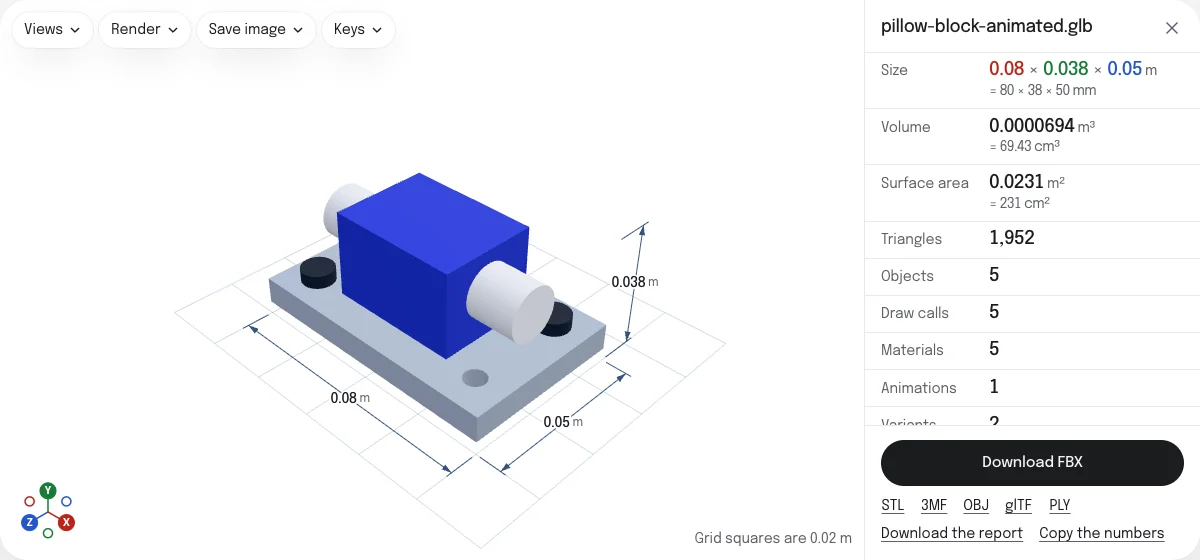
The FBX of the sample assembly was opened in Blender 5.2.3, in Godot 4.7.2 and in Autodesk’s FBX SDK 2020.3.7, on November 6, 2026. All three read it at 80 × 38 × 50 mm with Y up, its five parts hanging from its root by their names (the second screw as Screw_2), and its animation of 7 seconds; at every 24th of a second each part is where the GLB puts it, to the thousandth of a millimeter. In Blender every part has the GLB’s color to four places, no metal and a roughness of 0.8, as the GLB has. assimp 6.0 reads five meshes, four materials and one animation.
Other GLBs were tried the same way. Two animations came in as two, in all three. A turn of 270° about Y and then 90° about X, and keys that step or follow a cubic curve, were within 0.02 mm of the GLB in Blender and the FBX SDK; Godot, which thins the keys of an animation as it imports one, was up to 2.9 mm out. A surface seen through and a glow came in as such in Blender; Godot kept the glow, drew the surface opaque, and read every material as fully rough and free of metal. A WebP picture came in as a PNG in all three, a mesh quantized as the GLB compressor writes it at its size, and a material that two meshes share as one.
The site’s own FBX viewer opens the FBX and plays its animation. It draws the colors a little darker than Blender does: FBX does not say whether its colors are in linear light, Blender and Godot read them so, and three.js, which the viewer uses, does not.
How the tools are tested lists every converter’s file and what opened it.
Questions
Is my file uploaded?
No. The GLB is read and the FBX is written by your own browser. Nothing is sent to a server.
Are the animations kept?
Those that move, turn and scale its parts, every one the viewer plays, each an animation of its own in the FBX. A turn is written as FBX writes one, as angles, sampled 30 times a second and at every key of the file. Keys that step or follow a curve are sampled too. Skins and blend shapes are not written, so a character that bends is saved standing as it is at rest, its bones still moving.
Are the textures kept?
The picture on each material's color is held in the FBX, and unpacked beside it by programs that do so. A WebP picture is written as a PNG, which every program reads. The other pictures of a glTF material (its normal map, its roughness, its glow) are not.
Why do the materials look a little different?
glTF describes a surface by its color, its metal and its roughness, and FBX by its color and its shine. The FBX is given each color, how metallic it is, and a shine worked out from its roughness, as Blender reads them back. Godot reads neither from an FBX, and draws every material as rough and free of metal.
Why does the FBX viewer here draw the colors darker?
FBX does not say whether its colors are in linear light or as a screen shows them. Blender and Godot read them as linear light, and the FBX is written for them; three.js, which the FBX viewer here uses, reads them the other way, so its colors come out darker than Blender's. The file is the same.
What unit is the FBX in?
Centimeters with Y up, the FBX SDK's own: a glTF in meters becomes centimeters, and an assembly 80 mm long is 8 units long in the file, 80 mm in Blender and 0.08 m in a game engine.