What the OBJ keeps, and what it loses
| In the OBJ | |
|---|---|
| Shape | Every triangle, every corner where the STL put it |
| Corners | Shared: each written once, as the OBJ's own vertex |
| Size | The STL's numbers, unchanged |
| Which way up | The STL's axes, unchanged |
| Several files | An object for each, named after its file |
| The STL's normals | Not written: each program works them out from the corners, as from the STL |
Nothing of the shape is lost: an STL is triangles and nothing else, and the OBJ holds the same triangles. The line of text at the head of a binary STL is not carried over.
How to convert an STL to OBJ
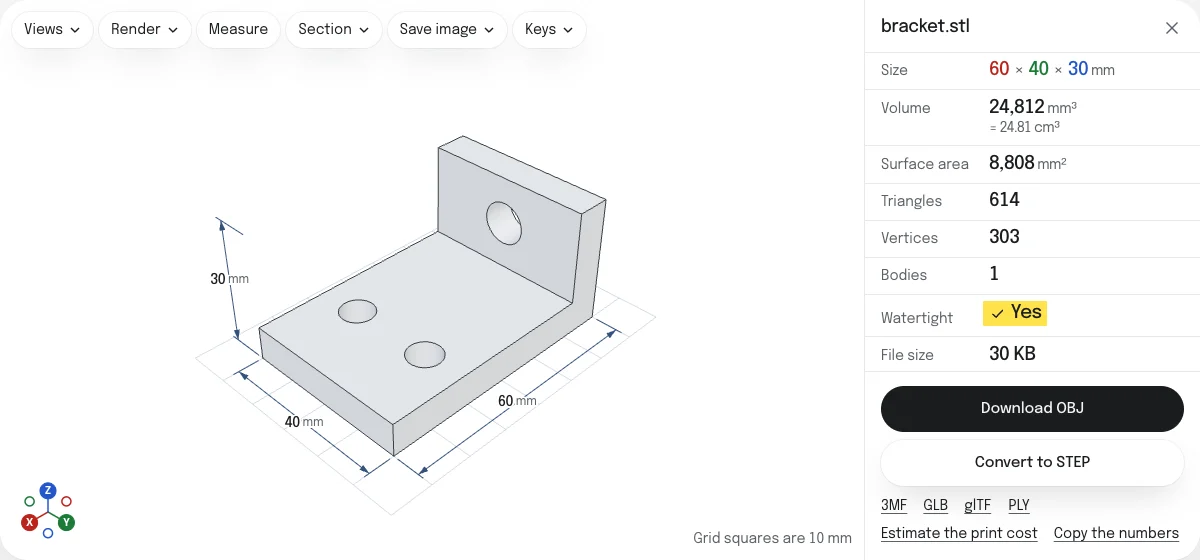
- Drop the STL on this page, or choose it with the button. Binary and ASCII STL both open. It is read in your browser; nothing is uploaded.
- Look at the model and its size. Drop more STL files to put them in the same OBJ.
- Choose Download OBJ. The file is named after the STL:
bracket.stlbecomesbracket.obj.
Shared corners
An STL lists three corners for every triangle, so a corner where six triangles meet is written six times. An OBJ lists each corner once and builds the triangles from their numbers. The converter joins the corners that are the same in every digit, which is how an STL writes a corner that triangles share. None is moved, and two corners that differ, however little, stay two.
The OBJ is text, with every number written out, so it is not always smaller than a binary STL, which stores each number in four bytes. It is much smaller than an ASCII STL, and a program that reads it gets a mesh whose triangles are joined, which is what a modeling program needs to smooth or edit it.
Size and orientation
Neither an STL nor an OBJ says what unit its numbers are in or which way is up. The converter keeps both as they are, so a program that reads the two files the same way shows the same model. An STL made for printing is in millimeters with Z up. Blender reads an OBJ as meters with Y up: set the scale to 0.001 and the up axis to Z when you import it, or save a GLB, which states both.
OBJ, GLB or PLY
- OBJ is read by nearly every 3D program, old and new.
- GLB states its unit and its up direction, for the web, AR and game engines.
- PLY is the format of scans and of MeshLab, binary and compact.
The GLB and the PLY, and a 3MF and a glTF, are saved from the links under the button.
Questions
Is my file uploaded?
No. The STL is read and the OBJ is written by your own browser. Nothing is sent to a server.
Is the OBJ the same shape?
Yes, triangle for triangle. Every corner keeps the number the STL gives it. What changes is how they are written: an STL repeats a corner for every triangle that meets there, and the OBJ lists it once and names it from each triangle.
What unit is the OBJ in?
The STL's own, whatever it was: neither file states a unit, so the numbers are copied as they are. An STL made for printing is in millimeters. Blender reads one unit of an OBJ as one meter, so set the scale to 0.001 when you import it there.
Which way up does it come in?
As the STL has it, which for a model made for printing is Z up. Many 3D programs take an OBJ to be Y up: if the model lies on its back, set the up axis to Z when you import it.
Can I put several STL files into one OBJ?
Yes. Drop them together, or add more to the open model. Each becomes an object of its own in the OBJ, named after its file. Hide any you want left out.
Does the OBJ have colors?
Only if the files had them. Most STL files have none; a binary STL colored by Materialise Magics or VisCAM keeps its colors, and so does a PLY with colors, or an OBJ with its material file, dropped with the STLs. They go into a material file beside the OBJ.