What the STL keeps, and what it loses
| In the STL | |
|---|---|
| Shape | Every triangle. Faces with more corners are cut into triangles, a face with a dent ear by ear |
| Size | Millimeters, from the unit you choose for the OBJ |
| Which way up | Standing on Z, as the model stands on screen |
| Objects and groups | Joined into one mesh: an STL has no names |
| Colors and materials | Lost. A 3MF can keep them as parts |
| Textures and smooth shading | Lost. An STL gives each triangle one flat normal |
How to convert an OBJ to STL
- Drop the OBJ on this page, with its MTL if you have one, or choose it with the button. A ZIP of the folder works too. It is read in your browser; nothing is uploaded.
- Look at the model. If it lies on its back, choose Z points up in the Views menu.
- Under Units, choose the unit the model was drawn in, so that the size in millimeters is right.
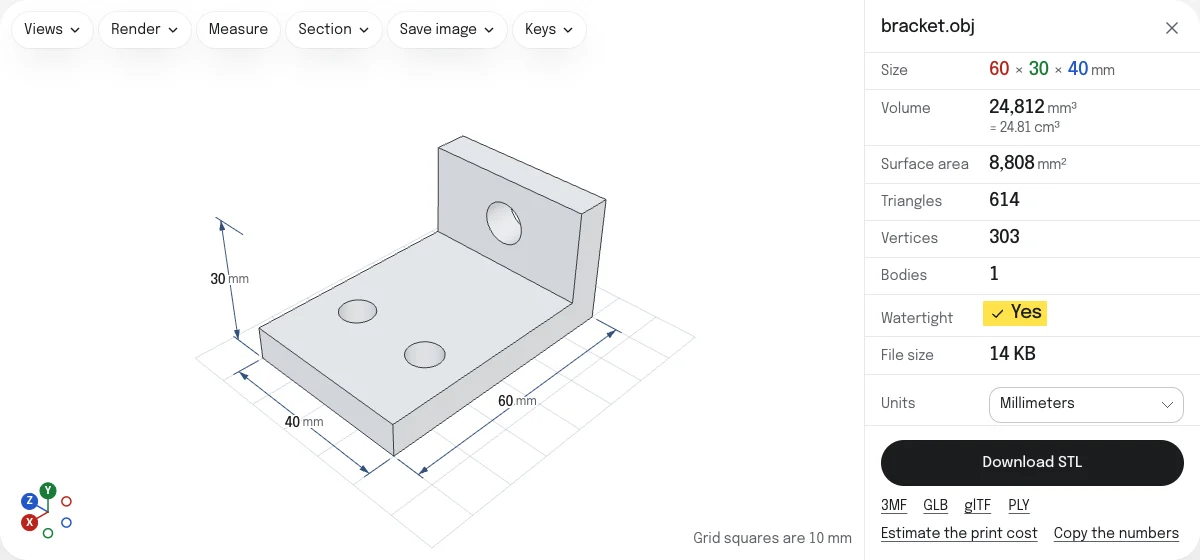
- Read the check: Watertight says whether the surface is closed, which a slicer needs.
- Choose Download STL. The file is named after the OBJ:
chair.objbecomeschair.stl.
Which way up
An OBJ is a list of numbers with no up direction. The convention of modeling programs is Y up, and that of 3D printing is Z up, so an OBJ copied into an STL as it is lies on its back in a slicer. This converter writes the STL the way the model stands in the viewer, which takes an OBJ to be Y up, as Blender and most other modeling programs write it. An OBJ from a CAD program may be Z up already: it then lies on its back here, and Z points up in the Views menu stands it up, for the view and for the STL.
Size
Slicers read the numbers of an STL as millimeters, and an OBJ does not say what its numbers are. Blender writes meters, many other programs centimeters or whatever unit the scene was set to. Choose the unit under Units and the panel shows the size in millimeters; the STL is written at that size. A model under 10 mm across was most likely drawn in inches or meters, and the page asks whether it is in inches.
Holes and flipped faces
A slicer needs a closed surface to know what is inside. The check under the model counts open edges, the holes they make, edges shared by more than two faces, and faces turned the wrong way, and draws the open edges in red. A model made for rendering often has holes a viewer never shows: an open bottom, a separate eye. The STL is saved as it is, holes included, and STL repair closes holes and turns flipped faces when the check finds them.
STL or 3MF
STL is the format every slicer takes. A 3MF holds the same triangles with their unit stated, and a model built of pieces in different colors as a part for each color, which a slicer lets you give a filament each. The 3MF, GLB, glTF and PLY are saved from the links under the button.
Questions
Is my file uploaded?
No. The OBJ is read and the STL is written by your own browser. Nothing is sent to a server.
Why does my model come out lying on its back in other converters?
An OBJ does not say which way is up. Most modeling programs, Blender among them, write it with Y up, while slicers stand a model on Z. This page takes an OBJ to stand on Y, as they write it, and turns it so that the STL stands on Z. If the model lies on its back here, choose Z points up in the Views menu: the STL follows what you see.
What unit is the STL in?
Millimeters, which is what every slicer reads. An OBJ has no unit of its own, so choose the one it was drawn in under Units: millimeters to begin with. A model from Blender is usually in meters, so a part 0.05 long is 50 mm once you choose Meters.
Are the colors kept?
No. An STL holds triangles and nothing else. A 3MF, saved from the link under the button, keeps them as parts where the model is built of pieces in different colors: a slicer lets you give each part its own filament.
My OBJ has several objects. What happens to them?
They all go into the one STL, where they are loose shells, as in any STL. The viewer counts them as bodies. Several OBJ files dropped together become one STL too; hide any you want left out.
Do I need the MTL file?
Not for the STL. Drop it with the OBJ to see the model in its colors, and to keep them in a 3MF, GLB or glTF.