What the GLB keeps, and what it adds
| In the GLB | |
|---|---|
| Shape | Every triangle, with its corners shared |
| Size | Meters, stated in the file, from the unit you choose for the STL |
| Which way up | Y up, as glTF asks, with the model standing as it stands on screen |
| Several files | A mesh for each, named after its file |
| Material | A matte light gray, unless the STL is one of the few with colors |
| Normals | None: programs work out flat ones, as an STL's triangles are flat |
How to convert an STL to GLB
- Drop the STL on this page, or choose it with the button. Binary and ASCII STL both open. It is read in your browser; nothing is uploaded.
- Look at the model and its size. Under Units, choose the unit it was drawn in: millimeters for nearly every STL made for printing.
- Choose Download GLB. The file is named after the STL:
bracket.stlbecomesbracket.glb.
Size and orientation
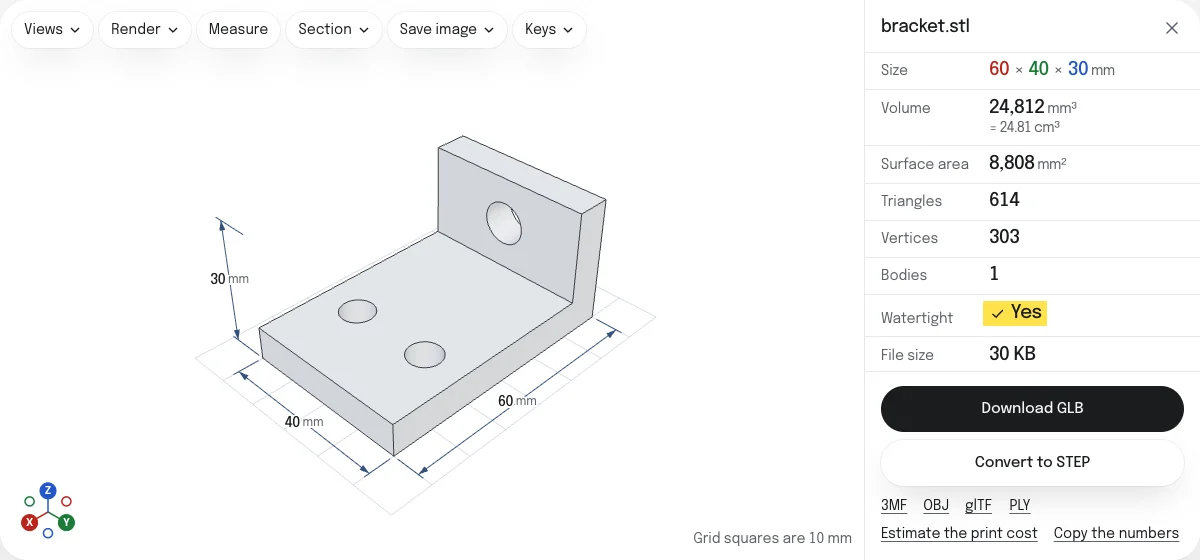
The model is written in its own numbers, with one turn and one scale on the node that holds it: a quarter turn about X, which stands a Z-up STL on Y, and a factor of 0.001 for millimeters, so that the GLB is in meters. The sample bracket, 60 mm long, is 0.06 m long in any program that reads the GLB, and stands as it stands here. If an STL was drawn on its side, choose the other axis in the Views menu: the GLB follows what you see.
For the web, AR and games
GLB is the format web pages show 3D models in, the one Android’s AR takes, and one that game engines and Blender import directly. A web page that shows a model in a viewer, a product page or a game can take the GLB as it is. Since most STL files have no color, the GLB then has one plain gray material; give it the look you need in the program you open it in.
GLB, glTF or OBJ
- GLB is one file, ready to use.
- glTF is the same model as text, with its geometry in a
.binfile beside it, for editing by hand or by script. - OBJ is read by nearly every 3D program, older ones included, and states no unit.
The glTF and the OBJ, and a 3MF and a PLY, are saved from the links under the button.
Questions
Is my file uploaded?
No. The STL is read and the GLB is written by your own browser. Nothing is sent to a server.
Why does the GLB come out the right size and the right way up?
A GLB states its unit, meters, and its up direction, Y, and every program that reads it knows both. An STL states neither. The converter takes the unit you choose under Units, millimeters to begin with, and the way the model stands in the viewer, Z up for an STL, and writes the GLB from them.
What color is the model?
Most STL files have no color, and the GLB gives them a plain light gray, matte: change the material in the program you open the GLB in. A binary STL colored by Materialise Magics or VisCAM keeps its colors, and so does a PLY or an OBJ with colors dropped here.
Can I put several STL files into one GLB?
Yes. Drop them together, or drop more on the open model. Each becomes a mesh of its own, named after its file, where its STL put it. Hide any you want left out.
Will the GLB work on an iPhone?
In a browser, on any web page that shows GLB models. AR on an iPhone takes USDZ files, which this site does not write; Android's AR takes a GLB.
Is the GLB smaller than the STL?
Usually. A binary STL stores three corners for every triangle, and the GLB stores each corner once with the triangles as numbers that point to them. No compression is applied, so every program can read it.