What the OBJ keeps, and what it loses
| In the OBJ | |
|---|---|
| Shape | Every triangle of every object, where the file stores it |
| Names | Each object an object of its own, with its name, numbered when two share one |
| Colors | Each material's color, in a material file beside it. An object of several materials is an object for each |
| Size | The 3DS's numbers, unchanged |
| Which way up | The 3DS's axes, unchanged: Z up for a model from 3ds Max |
| Textures | Lost |
| Animation, lights, cameras | Left out |
How to convert a 3DS to OBJ
- Drop the 3DS on this page, or choose it with the button. Drop its pictures with it to see its textures.
- Look at the model and its size. Choose the unit it was drawn in under Unit, if it is not millimeters.
- Choose Download OBJ. You get a ZIP with the OBJ and its material file, named after the 3DS, or the OBJ alone when the 3DS has no materials.
A 3DS stores no unit
A 3DS holds numbers and nothing to say what they measure. 3D Studio and 3ds Max write them in the unit the scene was set to, and programs that read one guess: Blender’s importer, for one, has a setting for it. The page shows the numbers in millimeters to begin with and says when a model is so small it is more likely in meters or inches. Choosing the unit changes what the page measures, the size of a saved STL, which slicers read in millimeters, and that of a saved 3MF, GLB, FBX or USDZ, which state their unit. The OBJ and a PLY keep the numbers as they are.
Materials
A 3DS gives each face its material by name. Each material’s color goes into the OBJ’s material file, and an object whose faces have two materials becomes two objects, one for each. A face that names a material the file does not hold, or none, is gray on the page, and gray in the OBJ when other faces have a color. A material drawn in a picture names the picture, often in the short capitals of old 3D Studio (WOOD.JPG): drop the picture with the 3DS, under any case, and it is drawn on the model here.
OBJ, GLB or STL
An OBJ keeps names and colors for another modeling program. To 3D print the model, an STL or a 3MF in millimeters is what a slicer expects: choose the unit first, so the part arrives at its real size. For the web or a game engine, a GLB states its unit, meters, and holds the model’s colors.
Checked in assimp
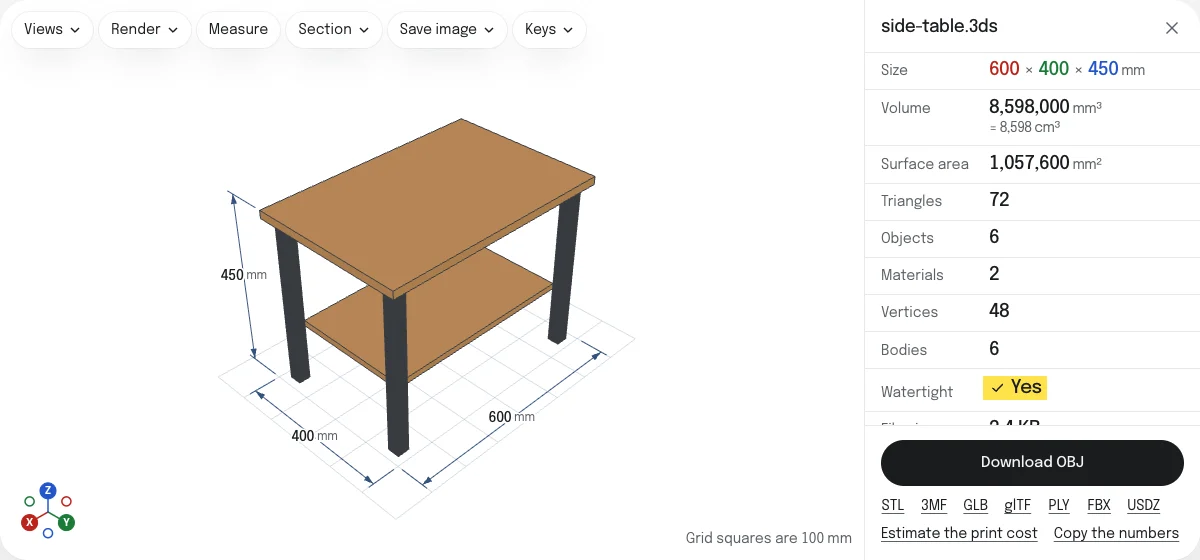
The OBJ of the sample side table, read by assimp 6.0, an open-source library for reading 3D files, on November 17, 2026: six objects named Top, Shelf and Leg1 to Leg4, the oak and the steel in the material file, 72 faces, and 600 × 400 × 450, the numbers of the 3DS, standing on Z. How the tools are tested lists every converter’s file and what opened it.
Questions
Is my file uploaded?
No. The 3DS is read and the OBJ is written by your own browser. Nothing is sent to a server.
Why do I get a ZIP?
An OBJ keeps its colors in a second file, the material file (.mtl), which it names. When the 3DS has materials, the two come together in one ZIP: unzip it and keep the OBJ and the MTL side by side.
What unit is the OBJ in?
The 3DS's own: a 3DS does not say what unit its numbers are in, and neither does an OBJ, so the numbers are copied as they are. Choose the unit the model was drawn in under Unit, and the size, the volume and a saved STL or 3MF follow it. 3ds Max writes a 3DS in its system unit, often inches or centimeters.
Which way up is the OBJ?
As the 3DS has it, which for a model from 3ds Max is Z up. Blender and most modeling programs take an OBJ to be Y up: if the model lies on its back, set the up axis to Z when you import it.
Are the textures kept?
No. The OBJ has each material's color, and not its picture or the coordinates that lay it on the surface. Drop the pictures with the 3DS to see them here.
Is the animation kept?
No. A 3DS keeps its animation apart from its meshes, and it is not read: each object is shown and saved where the file stores it, which is where it stood when the file was saved.