How to convert an STL to USDZ
- Drop the STL on this page. It is read in your browser; nothing is uploaded.
- Check the size. If the STL was drawn in inches or meters, choose that unit under Units: the USDZ is written from it.
- Choose Download USDZ. The file is named after the STL:
bracket.stlbecomesbracket.usdz.
Several files
Drop several STL files together, or drop more on the open model: each becomes a mesh of its own in the USDZ, named after its file, where its STL put it. A plate of parts stands in AR as it will on the printer’s bed.
Checked by Apple’s tools and Blender
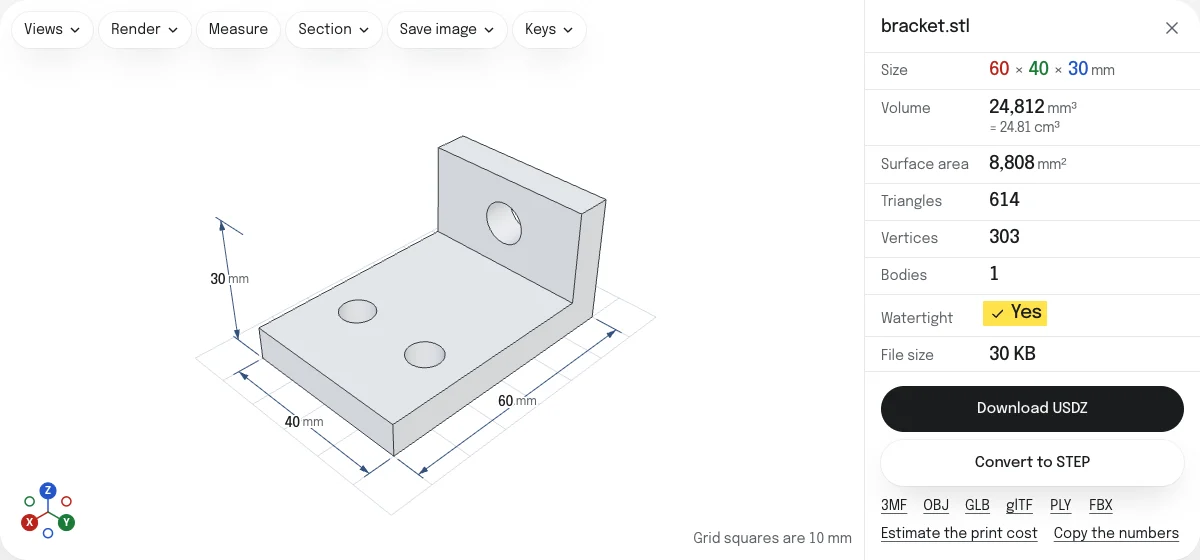
The USDZ of the sample bracket was checked on November 13, 2026 by Apple’s usdchecker, with its check for AR (--arkit), which it passes. Apple’s SceneKit, which reads USD through Model I/O, and Blender 5.2.3 read it as one mesh of 614 triangles, 60 × 30 × 40 mm with Y up, the bracket standing as it stands on screen. Quick Look itself could not be run: the iOS Simulator’s shows a USDZ as a file to share, not as a model, and a broken one the same way.
How the tools are tested lists every converter’s file and what opened it.
Questions
Is my file uploaded?
No. The STL is read and the USDZ is written by your own browser. Nothing is sent to a server.
Why does the USDZ come out the right size?
A USDZ states its unit, and Quick Look places it in AR at that size. An STL states none. The converter takes the unit you choose under Units, millimeters to begin with, as slicers read an STL, and writes the USDZ in meters from it: the sample bracket, 60 mm long, stands 6 cm long on a desk in AR.
Which way up is it?
As it stands on screen. An STL stands on Z, and a USDZ on Y, so the model is turned to stand the same. If it was drawn on its side, choose the other axis in the Views menu: the USDZ follows what you see.
What color is the model?
A plain light gray, matte, as most STL files have no color. A binary STL colored by Materialise Magics or VisCAM keeps its colors, up to 32, a material for each.
How do I see it in AR?
Open the USDZ on an iPhone or iPad: from Files, Mail, Messages or AirDrop, it opens in Quick Look, where AR places it on a floor or a table at its real size.
Is there a limit?
2 million triangles. A USDZ written here holds its scene as text, every number written out, so a million triangles make a file of about 66 MB, which a phone opens slowly. The [STL reducer](/reduce-stl-file-size/) makes a large STL smaller first.