What the USDZ keeps, and what it loses
| In the USDZ | |
|---|---|
| Meshes and their tree | Every mesh and node, where it hangs in the scene, named as USD allows: letters, digits and _. The GLB's own names are kept, a second Screw as Screw_1 as three.js names it; two nodes still of one name are numbered _2 |
| Size and way up | Meters with Y up, as the GLB |
| Materials | USD's preview surface: color, metal, roughness, transparency and glow |
| Textures | The pictures on color, normals, roughness, metal, glow and occlusion, as PNG or JPEG |
| Animation | The first that moves its parts, which Quick Look plays |
| Skins, blend shapes | Not written: the mesh is saved as it is drawn at rest |
| Colors of vertices | Lost: Quick Look draws a material's color |
| Lights, cameras, variants | Left out |
| Limit | 2 million triangles, each mesh counted as often as it is drawn |
How to convert a GLB to USDZ
- Drop the GLB on this page, or a glTF with its
.binand pictures, or a ZIP of its folder. It is read in your browser; nothing is uploaded. - Look at the model, and press Play to see the motion the USDZ will keep.
- Choose Download USDZ. The file is named after the GLB:
assembly.glbbecomesassembly.usdz.
Written by three.js
The USDZ is written by three.js’s USDZExporter, with what it needs made ready first: a skinned mesh as it is drawn at rest, a mesh drawn many times over as a mesh for each place, every material as glTF’s own kind, and each name one that USD allows. The scene is text (USDA) inside the USDZ, set in the package as Apple asks, each file on a boundary of 64 bytes, and placed on a horizontal plane in AR.
Checked by Apple’s tools and Blender
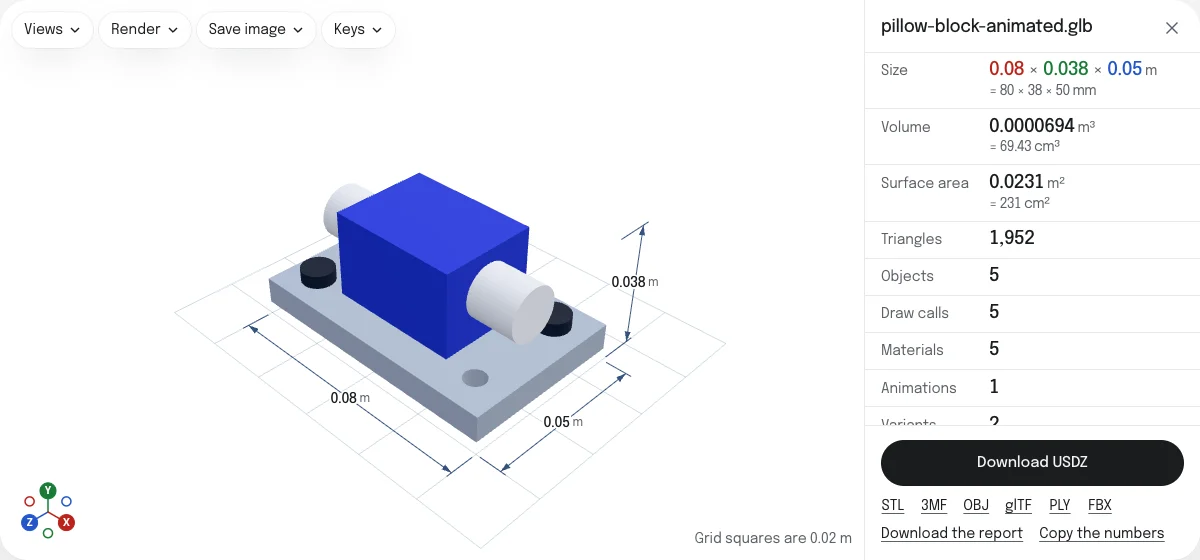
The USDZ of the sample assembly was checked on November 13, 2026 by Apple’s usdchecker, with its check for AR (--arkit), which it passes. Apple’s SceneKit, which reads USD through Model I/O, and Blender 5.2.3 read it at 80 × 38 × 50 mm with Y up, its 1,952 triangles in five parts named as in the GLB, the second screw as Screw_1, and its parts moving.
Quick Look itself could not be run: the iOS Simulator’s shows a USDZ as a file to share, not as a model, and shows a broken one the same way. AR needs a real iPhone or iPad.
How the tools are tested lists every converter’s file and what opened it.
Questions
Is my file uploaded?
No. The GLB is read and the USDZ is written by your own browser. Nothing is sent to a server.
How do I see it in AR?
Open the USDZ on an iPhone or iPad: from Files, Mail, Messages or AirDrop, it opens in Quick Look, where AR places it on a floor or a table at its real size. A web page shows it in AR with a link to the file marked `rel="ar"`.
Are the animations kept?
The motion of its parts, which Quick Look plays as soon as the model opens. A USDZ written here holds one animation, the first that moves the GLB's parts; the page says when others are left. Skins and blend shapes are not written: a character that bends is saved standing at rest.
Are the textures kept?
The pictures on each material's color, normals, roughness, metal, glow and occlusion, as PNG or JPEG, at up to 2048 pixels on their longer side, which is what Quick Look draws well.
What size does it come out?
Its real size: glTF is in meters, and so is the USDZ, with Y up. The sample assembly, 80 mm long, stands 80 mm long on a desk in AR.
Is there a limit?
2 million triangles, each mesh counted as often as it is drawn. A USDZ written here holds its scene as text, every number written out, so a million triangles make a file of about 66 MB, which a phone opens slowly. Make the GLB smaller with the [GLB compressor](/glb-compressor/) first if it is larger.