What the OBJ keeps, and what it loses
| In the OBJ | |
|---|---|
| Shape | Every element that has one, with its openings cut out, as the viewer draws it |
| Names | Each element an object of its own, with its name, numbered when two share one |
| Colors | Each element's colors, in a material file beside it. An element of several colors, a window of frame and glass, is an object for each |
| Size | Millimeters, from the unit the IFC states, or another unit you choose |
| Which way up | Y up |
| Storeys and the spatial tree | Lost: the objects are listed one after another |
| Properties, quantities, materials | Lost. The IFC keeps them |
| Spaces and openings | Left out: they are volumes of air, not things built |
How to convert an IFC to OBJ
- Drop the IFC on this page, or choose it with the button.
- Look at the building and its size, in meters from the unit the IFC states. Pick an element to read its properties before they are left behind.
- Choose the unit of the OBJ under Unit of a saved STL, OBJ or PLY: millimeters for a CAD program, meters for Blender or SketchUp.
- Choose Download OBJ. You get a ZIP with the OBJ and its material file, named after the IFC.
How the IFC is read
The file is read by web-ifc, an open-source IFC reader that runs in your browser, the same that many web BIM viewers use. It works out each element’s shape from the file: walls extruded from their outlines, openings cut out of them, profiles swept along beams and columns, and the triangles a file stores as they are. A curved surface is made of flat triangles fine enough to look round at the size of a building.
OBJ, GLB or STL
An OBJ keeps names and colors for a modeling program, and is the format most of them read. A GLB keeps the same in one file, for a web page, a game engine or an AR viewer. An STL or a 3MF in millimeters is for a 3D print of a scale model: scale it down in the slicer.
Checked in assimp
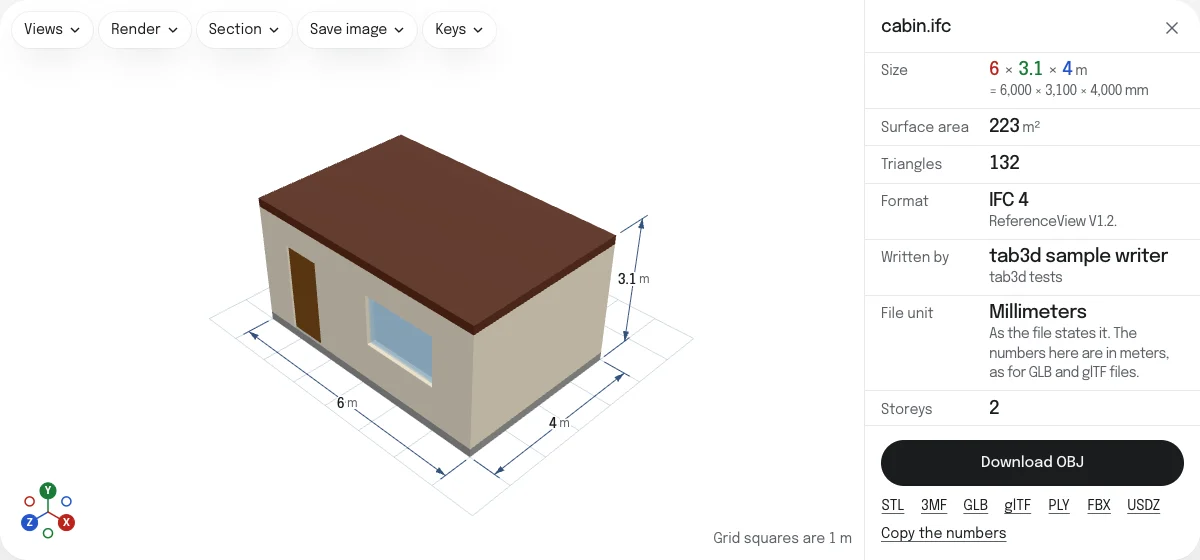
The OBJ of the sample cabin, read by assimp 6.0, an open-source library for reading 3D files, on November 11, 2026: eight objects named Floor_slab, Roof_slab, Front_wall, Back_wall, Left_wall, Right_wall, Front_window and Front_door, their colors in the material file, 132 faces, and 6,000 × 3,100 × 4,000 mm, standing on Y. The IFC is in millimeters, and its 6 m arrive as 6,000 mm. How the tools are tested lists every converter’s file and what opened it.
Questions
Is my file uploaded?
No. The IFC is read and the OBJ is written by your own browser. Nothing is sent to a server.
Are the properties kept?
No. An OBJ holds shapes, names and colors, and has no place for a wall's fire rating or a door's reference. Each object is named after its element, so it can be matched to the IFC. To read the properties, pick the element in the IFC viewer.
Why do I get a ZIP?
An OBJ keeps its colors in a second file, the material file (.mtl), which it names. The two come together in one ZIP: unzip it and keep the OBJ and the MTL side by side.
What unit is the OBJ in?
Millimeters to begin with, which is what most CAD programs read an OBJ in. Blender and SketchUp's OBJ import can take meters: choose the unit under Unit of a saved STL, OBJ or PLY, and the building arrives at its real size there.
Which way up is the OBJ?
Y up, the way Blender, 3ds Max and most modeling programs read an OBJ. An IFC stands on Z, and is stood on Y as the viewer shows it.
Where is the model placed?
Where the IFC places it. A model the file sets far from its origin, on a national grid for one, is moved to the origin first, and the viewer says by how much: a mesh so far out loses its millimeters in a 3D program.