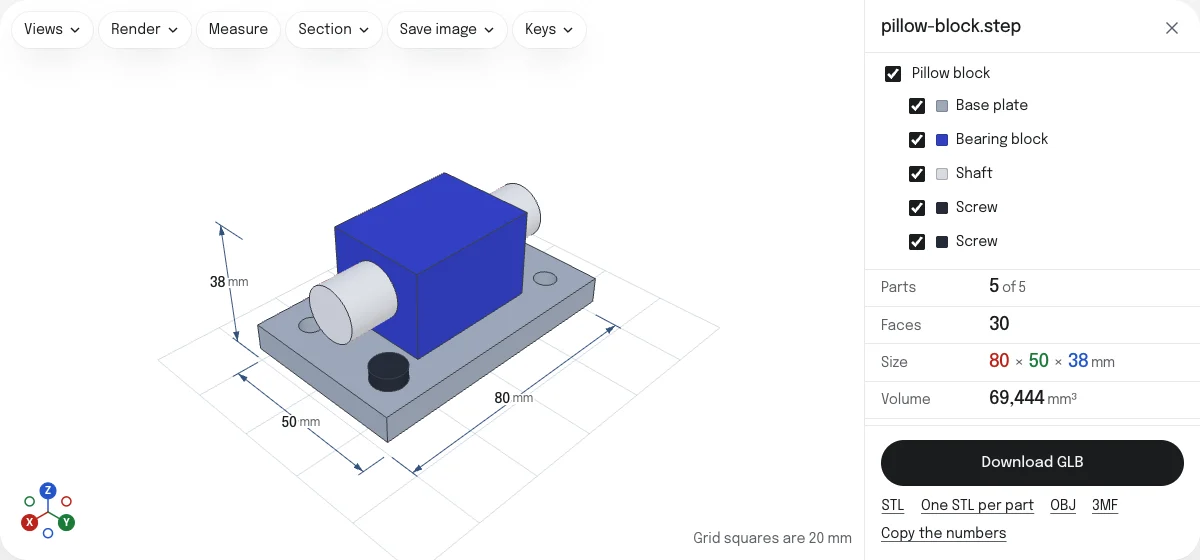
What the GLB keeps, and what it loses
A STEP file describes each part exactly, as faces of a solid: a hole is a true cylinder. A GLB describes it as triangles. The converter cuts every curved face into triangles at the quality you choose and writes each part as a node of the GLB, with its name and its color.
| In the GLB | |
|---|---|
| Shape | Triangles, as fine as the mesh quality. Flat faces are exact |
| Size | The real size, in meters, as glTF asks |
| Up | Y up, as glTF asks: the model stands as it did in CAD |
| Parts | A node for each part, named after it, placed as in the assembly |
| Colors | Each part's color, as a material, one for each color used |
| Shading | Normals for each corner, so curved faces shade smoothly |
| Assembly structure | Flattened: every part on its own, a part used twice written twice |
| Colors of single faces | Not kept: the part's own color is used, or light gray when it has none |
| Exact geometry | Lost. The GLB cannot be edited as a solid in CAD; keep the STEP file |
How to convert a STEP file to GLB
- Drop the STEP or STP file on this page, or choose it with the button. It is read in your browser; nothing is uploaded.
- Look at the model, its parts and its size. A STEP file states its units, so the size shown is the real one.
- Choose the mesh quality. Normal suits most uses; Coarse keeps a large assembly light for a web page.
- Untick any parts you do not want in the file.
- Choose Download GLB. The file is named after the STEP file.
A part or a small assembly is ready in a second or two. A very large assembly takes longer to read, with a line saying what is being done and Cancel beside it.
Where a GLB goes
GLB is the binary form of glTF, the format made for sending 3D models to be shown rather than edited. Blender imports it as it is, three.js and Babylon.js load it in a web page, and Unity and Unreal take it through their glTF importers. Because the file states its unit and its up direction, the model arrives at its real size and standing up, with no import settings to get right.
Each part is a node with the part’s name, so a web page or a game engine can find a part by its name, hide it or color it. A part used twice in the assembly, such as two screws, is two nodes. Subassemblies are not kept as groups: every part sits under the one node that scales and turns the model.
Size, quality and weight
A GLB’s size follows its triangles. Curved faces take triangles, flat faces cost the same at every quality, and the triangle count is shown before you download. For a model that will be loaded over a phone connection, choose Coarse and look at the result. For a rendering that will be seen up close, choose Fine.
Custom takes a tolerance in millimeters and an angle of your own. The STEP to STL converter explains the four settings in numbers; they work the same here.
GLB, OBJ or STL
- GLB keeps names and colors in one file, with its unit and its up direction. The best choice for the web, AR and game engines.
- OBJ is read by nearly every 3D program, with its colors in a material file beside it. STEP to OBJ says what it keeps.
- STL and 3MF are for 3D printing. The STEP to STL converter is the page for them.
The others are saved from the links under the button.
Questions
Is my file uploaded?
No. The STEP file is read and the GLB is written by your own browser. Nothing is sent to a server.
What is the difference between GLB and glTF?
They are the same format. A glTF is a text file that names its data in other files beside it; a GLB packs the text and the data into one binary file. A single file is easier to send and to load, which is why this page writes GLB.
Will the model be the right size?
Yes. glTF is measured in meters, and the GLB says so: the parts are in millimeters, as the STEP file gives them, under one node that scales them by 0.001. Blender, three.js and other glTF readers show an 80 mm part as 0.08 m, its real size.
Will it stand the right way up?
Yes. glTF has Y up, where most CAD programs have Z up. The same node that scales the parts turns them, so the model stands in the GLB as it stood in CAD.
Are the colors kept?
Each part's color is kept, as a material that is plain and not shiny: one material for each color the parts use. Colors set on single faces are not kept: the part's own color is used, and a part with no color of its own is light gray.
Can I 3D print a GLB?
Some slicers open GLB, but STL and 3MF are what they expect. The same model can be saved as STL or 3MF from the links under the button, in millimeters.
Is the GLB compressed?
No. The mesh is written as it is, which every glTF reader opens. To make it smaller, choose a coarser mesh quality before you download: the triangle count is shown first.