What the STL keeps, and what it loses
| In the STL | |
|---|---|
| Shape | Every triangle. A face with more corners is cut into triangles |
| Size | Millimeters, from the unit you choose for the PLY |
| Which way up | Standing on Z, as the model stands on screen |
| Colors of the vertices | Lost |
| Normals | Lost: an STL gives each triangle its own, from its corners |
| Other properties | Lost: confidence, intensity and the like have no place in an STL |
| A point cloud | Cannot be saved: it has no faces |
How to convert a PLY to STL
- Drop the PLY on this page, or choose it with the button. It is read in your browser; nothing is uploaded.
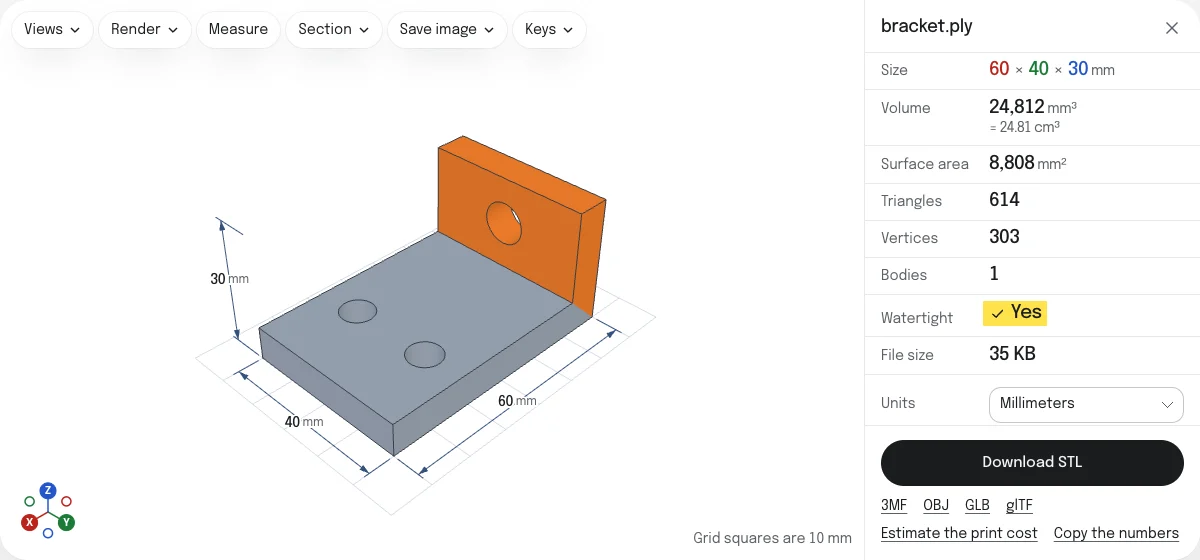
- Look at the model in its colors, and check its size. Under Units, choose the unit it was made in.
- If it lies on its side, choose the other axis in the Views menu: Z points up or Y points up. The STL stands as the model stands on screen.
- Choose Download STL. The file is named after the PLY:
scan.plybecomesscan.stl.
Scans
A PLY from a scanner is usually a mesh of a great many small triangles, with a color for each vertex and sometimes a normal or a measure of how sure the scanner was. An STL keeps the triangles and nothing else. The colors are drawn in the viewer, and an OBJ or a GLB saved from the links under the button keeps them.
A large scan opens all the same: above 5 million triangles the viewer draws a lighter stand-in while the numbers come from the full mesh, and the STL is written from the full mesh, read again from the file.
Holes, crumbs and the way up
A scanner sees only what faces it, so a scan is often open underneath, and comes with loose crumbs of the table or the turntable. The check under the model counts the open edges, the holes they make and the bodies, and draws the open edges in red. STL repair closes holes and drops pieces too small to matter, and its result is checked again.
PLY files say nothing about which way is up. The viewer stands a PLY on Z to begin with; if it lies on its side, the other axis in the Views menu stands it up, for the view and for the STL.
STL or PLY
An STL is the file a slicer takes. A PLY keeps the colors and is often smaller; to make one from an STL, there is STL to PLY. The 3MF, OBJ, GLB and glTF are saved from the links under the button.
Questions
Is my file uploaded?
No. The PLY is read and the STL is written by your own browser. Nothing is sent to a server.
My PLY is a point cloud. Can it become an STL?
No. A point cloud is points with no surface between them, and an STL is a surface. The viewer shows the points and counts them, but there are no faces to save. Build a mesh from the points first, in MeshLab or your scanner's software, then drop the PLY it saves.
Are the colors kept?
No. An STL has no place for them. To keep the colors of a scan, save an OBJ or a GLB from the links under the button: each keeps the color of every vertex.
What unit is the STL in?
Millimeters, which is what every slicer reads. A PLY has no unit of its own, so choose the one it was made in under Units. Some scanners write meters: choose Meters, and a head 0.25 across becomes 250 mm.
Which PLY files open?
Binary in either byte order, and ASCII, with colors as bytes, as fractions or in 16 bits. A vertex the file gives no position for is left out with the faces that use it, and the page says how many.
Is a scan ready to print?
Often not. A scan has holes where the scanner saw nothing, and loose crumbs around it. The check under the model counts the holes and bodies and draws the open edges in red. STL repair closes holes and drops crumbs.