What the 3MF keeps, and what it loses
| In the 3MF | |
|---|---|
| Shape | Every triangle, with its corners joined where they meet |
| Size | Millimeters, stated in the file, from the unit you choose |
| Which way up | Standing on Z, as the model stands on screen |
| Pieces in different colors | A part for each color, up to 32, each with its color, each closed |
| Colors painted on one closed surface | Lost: the model is kept whole |
| Object and group names | Lost: the parts are named after the file, with a number for each color |
| Textures and normals | Lost: a 3MF of the core specification has neither |
How to convert an OBJ to 3MF
- Drop the OBJ with its material file, or a ZIP of its folder, or choose them with the button. They are read in your browser; nothing is uploaded.
- Look at the model in its colors. If it lies on its back, choose Z points up in the Views menu.
- Under Units, choose the unit the model was drawn in.
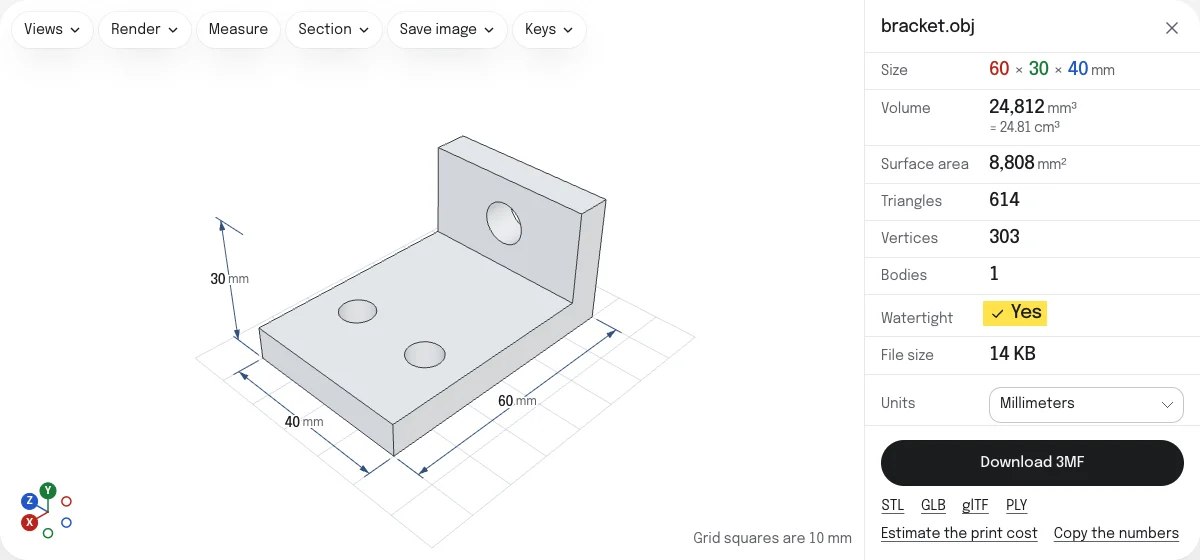
- Read the check: Watertight says whether the surface is closed, as a slicer needs.
- Choose Download 3MF. The file is named after the OBJ:
figure.objbecomesfigure.3mf.
Colors as parts
A slicer prints each part of an object in one filament, so a print in several colors is a matter of parts, and each part has to be closed for the slicer to know what is inside it. An OBJ says which material each face is in, and models are colored in two ways:
- Pieces in different colors. A model made for printing in several colors, or put together from parts, has each color as pieces that are closed by themselves: a figure whose eyes are separate balls, a sign whose letters stand on a plate. The converter puts the faces of each color into a part, checks that every part is closed, and gives the 3MF one object made of those parts, each where it was, with its color as a base material of the 3MF’s core specification.
- Colors painted on one closed surface. A model made to be looked at often has one closed surface with its faces painted in several materials: a head with a red mouth. Cut along the colors it would come apart into open sheets, so the 3MF keeps it as one closed part without its colors, and a note says so. A GLB or a PLY saved from the links under the button keeps those colors.
A model of one color is not cut, and keeps its color. A model whose surface is open already, with a hole somewhere, is cut by its colors all the same, since there is nothing closed to lose: the check under the model says where it is open.
What a slicer does with the parts is its own. Bambu Studio keeps them as one object, every part on the first filament until you give it another; PrusaSlicer opens each part as an object of its own. Neither takes the colors themselves from the file: each part is matched to a filament by hand.
A model colored vertex by vertex, as a scan is, has thousands of colors and no parts to make of them. Past 32 colors the 3MF is saved without them, and a note says so; a PLY or a GLB keeps them.
Size, orientation and corners
An OBJ states no unit and no up direction. The 3MF states millimeters and stands on Z, which is how every slicer sets it on the bed: the numbers are scaled from the unit you choose, and the model is turned so that it stands as it does in the viewer. The corners of each part are joined where they meet, and a triangle that joining leaves with no area is left out, since a 3MF may not hold one.
3MF or STL
An STL is read by every slicer, with no colors and no unit. A 3MF states its unit and keeps pieces in different colors as parts. To make one from STL files, a part for each, there is STL to 3MF. The STL, GLB, glTF and PLY are saved from the links under the button.
Questions
Is my file uploaded?
No. The OBJ and its material file are read and the 3MF is written by your own browser. Nothing is sent to a server.
Are the colors kept?
When the model is built of pieces, each in its own color, as a model made for printing in several colors is: drop the OBJ with its material file, and each color becomes a part of one object, with its color. When the colors paint the faces of one closed surface, as on a model made to be looked at, a part for each color would be an open sheet, which a slicer cannot print. The 3MF then keeps the model whole, without its colors, and a note says so.
What do slicers do with the parts?
Bambu Studio opens one object with a part for each color, where it was, every part on the first filament until you give it another. PrusaSlicer opens each part as an object of its own. Neither takes the colors themselves from the file: you match each part to a filament.
What unit is the 3MF in?
Millimeters, stated in the file. An OBJ has no unit of its own, so choose the one it was drawn in under Units. A model from Blender is usually in meters: choose Meters, and a figure 0.15 tall becomes 150 mm.
Which way up is it?
Standing on Z, as the model stands in the viewer, which takes an OBJ to stand on Y as modeling programs write it. If it lies on its back here, choose Z points up in the Views menu.
My scan has a color for every vertex. Is that kept?
Not in the 3MF, which gives each part one color: the page says so when it leaves them out. Save a PLY or a GLB to keep them.