What the glTF keeps, and what it loses
| In the glTF | |
|---|---|
| Shape | Every triangle, with its corners shared |
| Colors | A material for each color of the material file, up to 32, or the colors of the vertices |
| Shading | The OBJ's normals, when every corner has one |
| Size | Meters, from the unit you choose |
| Which way up | Y up, as the model stands on screen |
| Object and group names | Lost: a mesh for each color instead |
| Textures | Lost |
How to convert an OBJ to glTF
- Drop the OBJ with its material file, or a ZIP of its folder, or choose them with the button. They are read in your browser; nothing is uploaded.
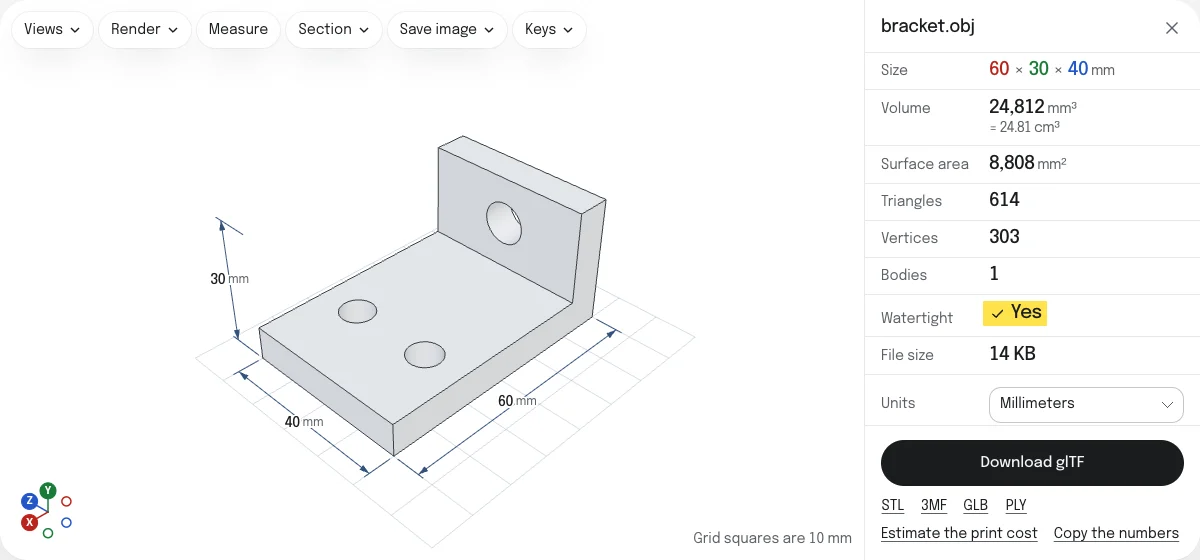
- Look at the model in its colors, and choose its unit under Units.
- Choose Download glTF. You get a ZIP named after the OBJ:
lamp.objbecomeslamp_gltf.zip, withlamp.gltfandlamp.binin it.
The files
The .gltf is JSON: the meshes, the materials, the nodes that place them, and a root node that turns and scales the model into meters with Y up. The .bin holds the numbers: the corners, the triangles and, where there are any, the normals and the colors of the vertices. The .gltf names the .bin, and a program finds it in the same folder.
A .gltf can be read and changed in a text editor: a material’s color, a node’s name. That is what it is for. For a model to load or share, a GLB is the same in one file.
Colors, size and orientation
The faces of each color of the material file become a mesh of their own with a matte material of that color, so the colors stay apart and each can be changed. Pictures the material file names are not read: the glTF has the colors only.
An OBJ states no unit and no way up. The glTF is written from the unit you choose and the way the model stands in the viewer, so it arrives at its real size and the right way up in every program that reads glTF.
glTF, GLB or STL
A glTF is for editing the JSON, a GLB for loading and sharing, and an STL for a slicer. The GLB and the STL, and a 3MF and a PLY, are saved from the links under the button.
Questions
Is my file uploaded?
No. The OBJ and its material file are read and the glTF is written by your own browser. Nothing is sent to a server.
Why do I get a ZIP?
A glTF with separate files is two: the .gltf, which is the JSON, and the .bin it names, which holds the geometry. The ZIP keeps them together. Unzip it into one folder and open the .gltf. For one file, save a GLB from the link under the button.
Are the colors kept?
Yes, when the material file is dropped with the OBJ: each color becomes a glTF material, matte, with the color as its base color. Textures are not carried over.
What size is the glTF?
The real size, in meters, as glTF asks. Choose the unit the OBJ was drawn in under Units, and the size follows from it.
Which way up is it?
Y up, as glTF asks, with the model standing as it does in the viewer. The viewer takes an OBJ to stand on Y; if it lies on its back, choose Z points up in the Views menu.