What the 3MF keeps, and what it adds
| In the 3MF | |
|---|---|
| Shape | Every triangle of the STL, with its corners joined where they meet |
| Size | In millimeters, stated in the file, from the unit you choose |
| Which way up | Standing on Z, as the model stands on screen |
| Several files | One object with a part for each, named after its file, each where it was |
| Name | The object is named after the STL |
| Print settings | None: the slicer gives its own |
How to convert an STL to 3MF
- Drop the STL on this page, or choose it with the button. Drop all the STL files of a print together to put them in one 3MF.
- Look at the model and its size. Under Units, choose the unit it was drawn in: the 3MF is written in millimeters from it.
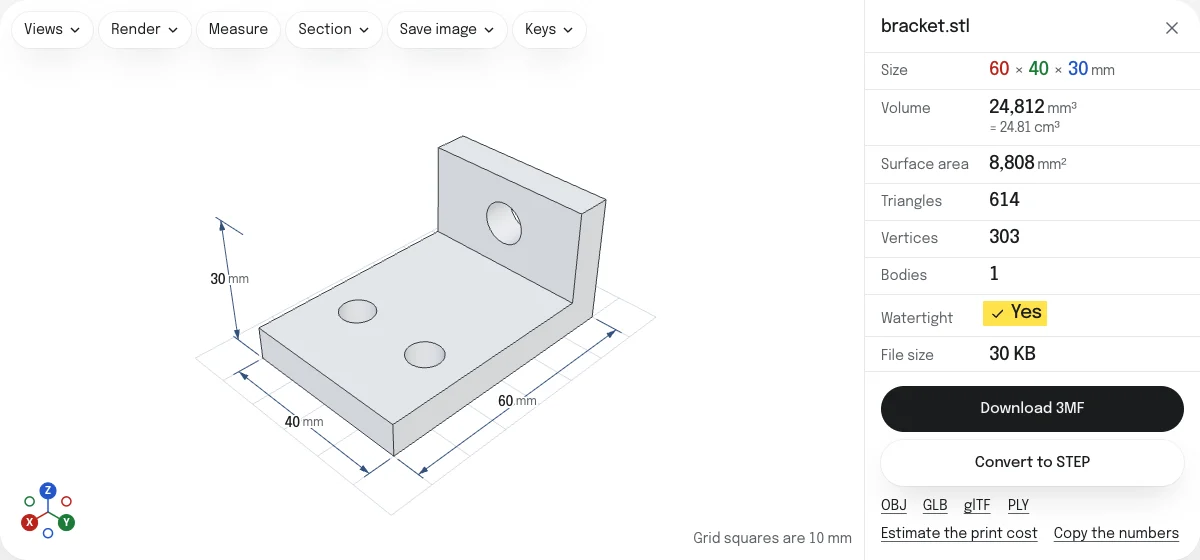
- Read the check: Watertight says whether each surface is closed, as a slicer needs.
- Choose Download 3MF. The file is named after the first STL:
bracket.stlbecomesbracket.3mf.
Corners joined
An STL lists three corners for every triangle and never says which triangles share an edge, so a slicer works it out by comparing numbers. A 3MF lists each corner once and builds its triangles from them, which is how its specification asks for a closed solid. The converter joins corners that lie within a ten-millionth of the model’s size of each other, and leaves out a triangle that joining leaves with two corners in one place, which the format does not allow. Such a triangle has no area, so the shape does not change.
The check under the model is the one a slicer makes: open edges, the holes they make, edges shared by more than two faces and faces turned the wrong way. A 3MF does not mend any of them. STL repair closes holes and turns flipped faces, and saves a 3MF itself.
Several STL files as one 3MF
Models for multicolor printing are often shared as one STL for each color, each exported in place, so that together they make the part. Dropped together here, they become the parts of one object in the 3MF, each named after its file and placed where it was drawn. In Bambu Studio the object arrives whole, with a part for each file to give a filament, every part on the first filament to begin with; it names the parts after the object, not after their files. PrusaSlicer opens the parts as objects of their own, each named after its file, and sets each down on the bed.
A part keeps its place only if the STL files share an origin, which files exported from one model do.
3MF or STL
Every slicer reads both. A 3MF states its unit and keeps parts together; an STL is the one file that every other program reads too. To go the other way, 3MF to STL reads projects from Bambu Studio, OrcaSlicer, PrusaSlicer and Cura. The OBJ, GLB, glTF and PLY are saved from the links under the button.
Questions
Is my file uploaded?
No. The STL is read and the 3MF is written by your own browser. Nothing is sent to a server.
Why use 3MF instead of STL?
A 3MF states its unit, so a model drawn in inches cannot arrive 25 times too small. It is a ZIP, so it is smaller than the same mesh as an STL. And it can hold several parts as one object, which is how a print in several colors is set up in a slicer.
How do I combine several STL files into one 3MF?
Drop them together, or drop more on the open model. The 3MF holds one object with a part for each file, named after it, and each part where its STL put it. Files exported from one model, a part for each color, keep their places that way. Hide any you want left out.
What do slicers do with the parts?
Bambu Studio opens them as one object whose parts stay where they are, every part on the first filament until you give it another. PrusaSlicer opens them as separate objects named after their files and sets each down on the bed.
What unit is the 3MF in?
Millimeters. An STL has no unit, so choose the one it was drawn in under Units: millimeters to begin with. An STL in inches becomes a 3MF of the right size in millimeters.
Are my print settings in the 3MF?
No. An STL has none to carry over, so the 3MF holds the model alone, and the slicer gives it its own settings. It is not a sliced file: slice it as you would the STL.