What the STL keeps, and what it loses
| In the STL | |
|---|---|
| Shape | Every triangle of every mesh, where the scene places it, as it stands at rest |
| Size | Millimeters, from the unit the FBX states, or another unit you choose |
| Which way up | Standing on Z, as the model stands on screen |
| Names and the scene's tree | Lost: every mesh goes into one |
| Colors, materials, textures | Lost. A 3MF keeps each mesh as a part, with its color |
| Skeletons and animations | Left out: the model is saved at rest |
| Lights, cameras, curves | Left out: they are not surfaces |
How to convert an FBX to STL
- Drop the FBX on this page, or choose it with the button.
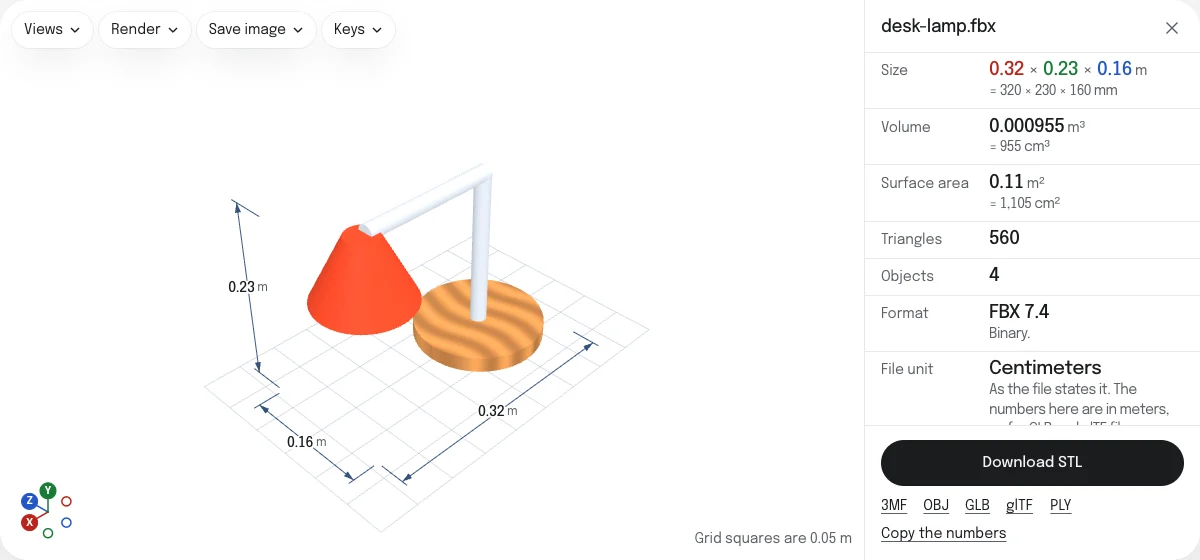
- Look at the model and its size. The panel gives it in meters, from the unit the FBX states.
- Read the check: Watertight says whether the surface is closed, which a slicer needs.
- Choose Download STL. The file is named after the FBX, in millimeters: a lamp 0.32 m wide is 320 mm wide in the slicer.
A model made for the screen
FBX is the format of animation and games, and a model made for those only has to look right. It is often an open surface, or several pieces that pass through each other: a body with its clothes on top, hair as cards, eyes sunk into the head. The check counts the open edges and the holes they make and draws them in red, and the volume is marked unreliable where the surface is not closed. STL repair closes holes and turns flipped faces; pieces that cross each other are left as they are, and most slicers join them.
A character is often also in a pose made for its skeleton, a T or an A with the arms out. That is the pose the STL is in: to print another, pose the model in its own program and export it again.
Size and orientation
The FBX states its unit and its up axis, and the slicer reads an STL in millimeters standing on Z, since the STL states neither. The converter writes millimeters from the unit the file states, and stands the model on Z as it stands in the viewer. If you need another unit, choose it under Unit of a saved STL, OBJ or PLY.
STL, 3MF or OBJ
STL is read by every slicer. A 3MF keeps each mesh as a part with its color, and states its unit, for a print in several colors. An OBJ keeps the names of the meshes and their colors for another 3D program. Both, and GLB, glTF and PLY, are saved from the links under the button.
Questions
Is my file uploaded?
No. The FBX is read and the STL is written by your own browser. Nothing is sent to a server.
Why is the STL the right size?
An FBX states its unit, centimeters in most files, and a slicer reads an STL in millimeters. The converter reads the unit and writes millimeters, so a figure 12 cm tall is 120 mm tall in the slicer. Another unit can be chosen under Unit of a saved STL, OBJ or PLY.
Why does it stand the right way up?
Slicers set a model on the print bed standing on Z. The STL is written standing on Z as the model stands in the viewer, from an FBX that stands on Y or on Z.
My character is animated. Which pose do I get?
The pose it stands in without the animation playing, as the viewer shows it when it opens. An animation playing is stopped, and the model put back at rest, before the STL is saved.
Will it print?
Only if its surface is closed, which the check under the numbers says. Models made for games and films are often open: eyes and teeth as separate pieces, clothes as single sheets. The STL is saved as it is, and the page draws the open edges in red.
Are the colors and textures kept?
No. An STL holds only triangles. A 3MF, from the link under the button, keeps each mesh as a part with its material's color, which a slicer lets you give a filament of its own.